
DarkPlugins App · macOS · Windows
Your plug-ins.
In one window.
Install and update DarkPlugins plug-ins in one click and drag kits straight into your DAW. Runs in the background — offline too.
Mac: if macOS says it can't verify the app the first time you open it, go to System Settings → Privacy & Security and click “Open Anyway”. You only do this once.
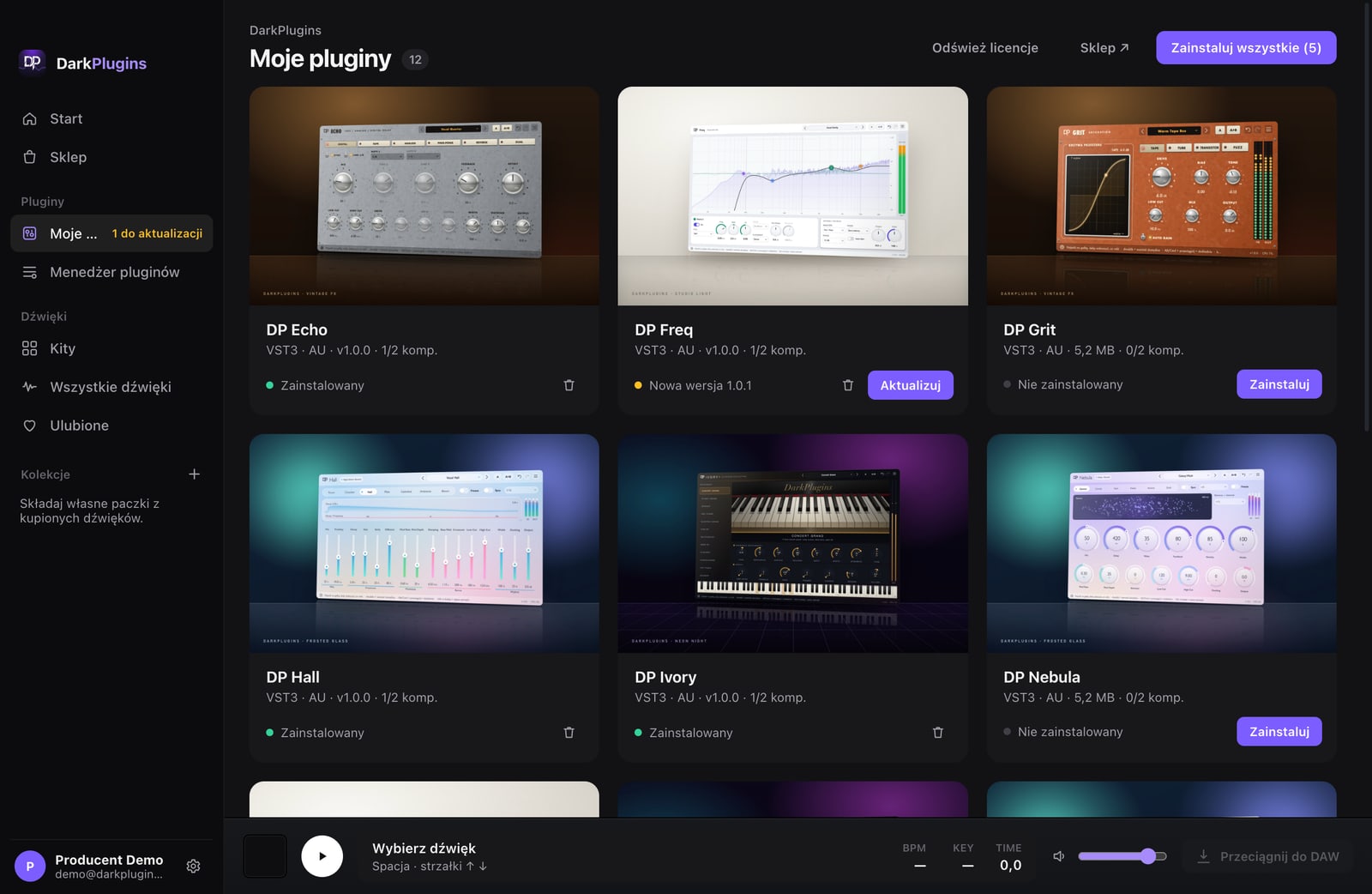
DarkPlugins plug-ins
One-click install
The app downloads the plug-in, puts it in your VST3 / AU folder and activates it on this computer.
Updates show up on their own
A new plug-in version shows a badge in the app and an “Update” button.
Licences look after themselves
Background refresh and moving the licence between computers.
Plug-in manager
Every plug-in on your computer in one list — disable or remove the ones you don't use.
Your sounds
Drag straight into your DAW
Kick, loop or MIDI — grab it and drop it on a track in FL Studio, Ableton, Logic, Cubase.
Search by BPM, key, instrument
All your kits in one library, with favourites and your own collections.
Install the app
Download the Mac or Windows version and open it.
Sign in through the website
The app opens DarkPlugins in your browser — sign in and click “Connect”.
Everything is there
The plug-ins and kits on your account. Up to 3 computers.
Downloaded kits and installed plug-ins work offline. Internet is only needed for downloads and a licence refresh once every 30 days.